All Apps
About My Care Routine – Step-by-Step Skincare
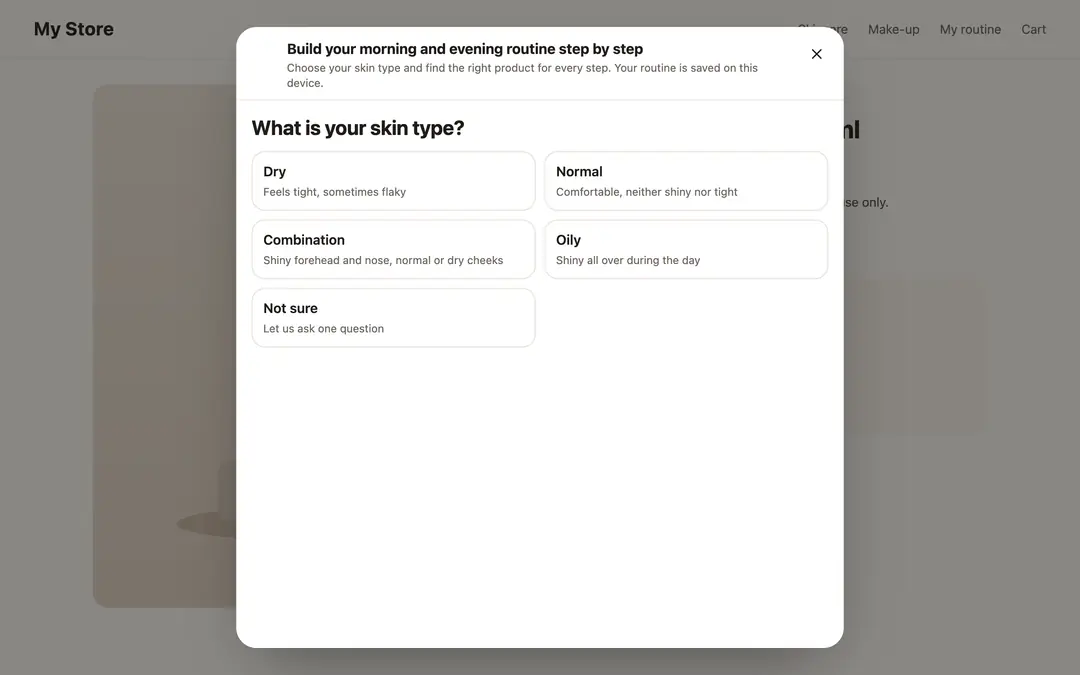
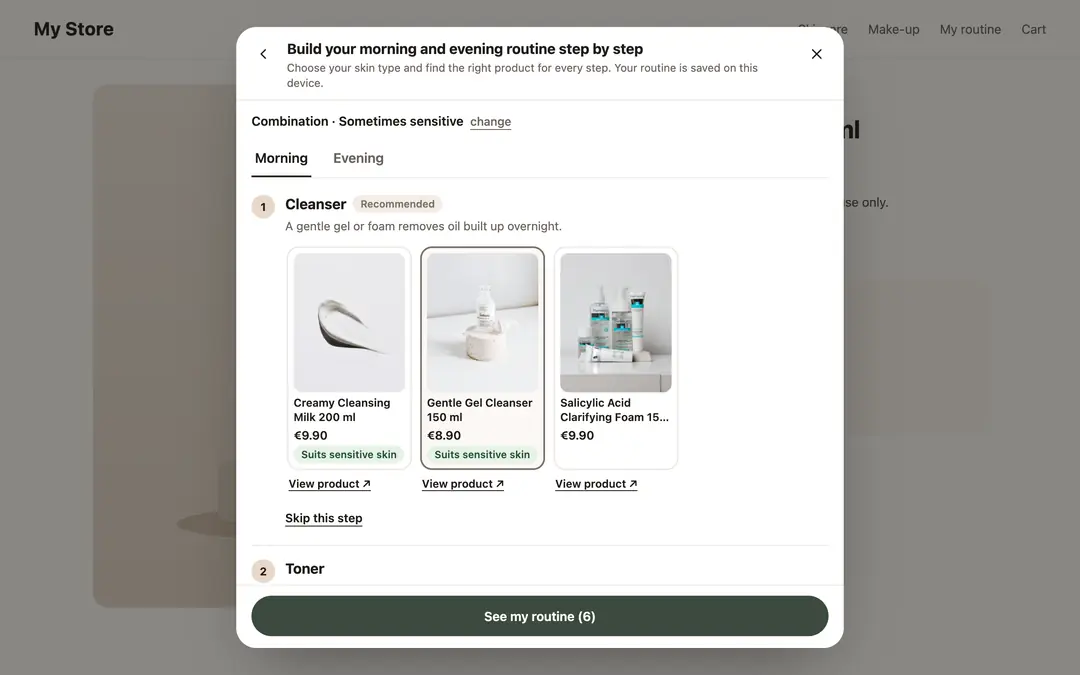
In skincare stores, the question shoppers ask most is "in what order do I use these?" My Care Routine adds a routine builder to your storefront: shoppers build their morning and evening routine in the right order, step by step, and pick one of your products at each step. Every step, from cleanser to sunscreen and from makeup remover to night cream, comes with a short usage note.
How it works
- Shoppers answer two short questions: their skin type and whether their skin is sensitive. If they are not sure of their skin type, one helper question follows. Products that suit the answers come first at each step; the others are hidden.
- The routine is split into morning and evening. For steps that are not daily, such as exfoliation and masks, shoppers pick the days of the week.
- If a retinol product and an acid product end up on the same evening, shoppers are told to use them on different nights.
- Shoppers save their routine. It stays on their device and opens again on their next visit.
Routine strip on the product page
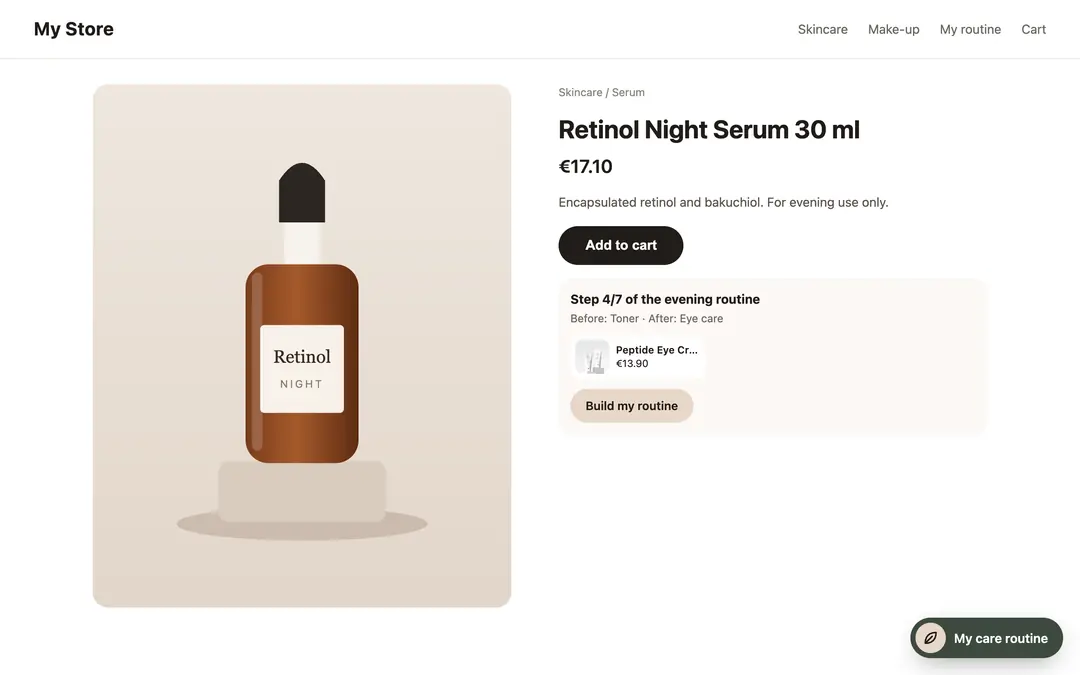
When a product is part of your routine, a short strip appears on its product page: "Step 3 of your evening routine · Before: Exfoliant · After: Eye care". Products for the next step are listed below it, one tap away.
In the panel
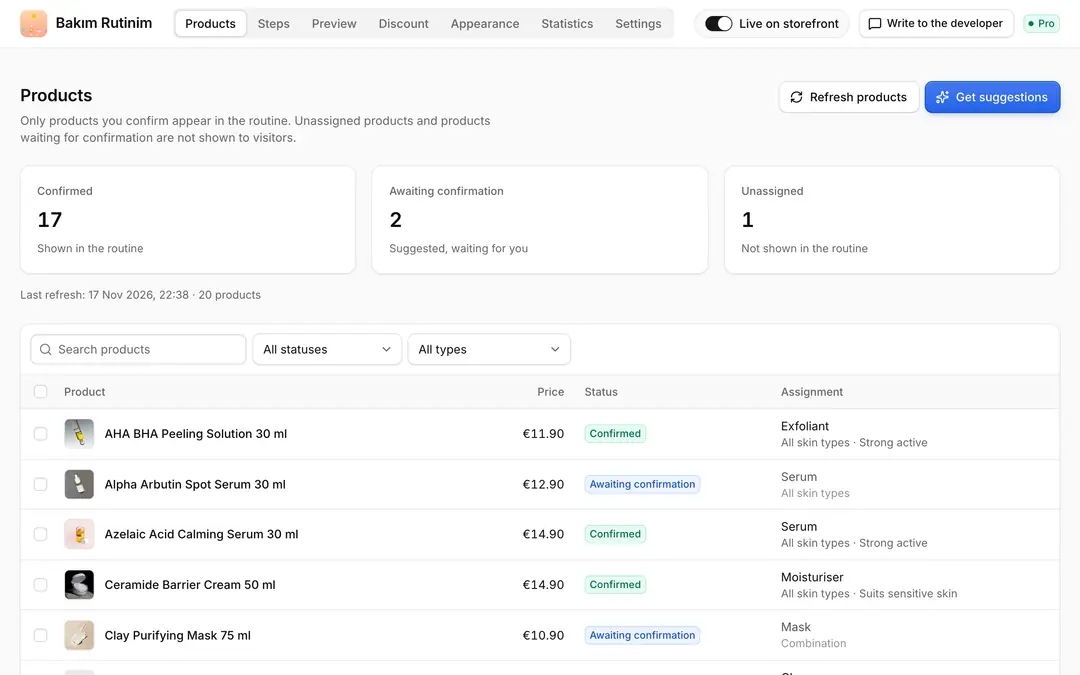
- Assign products to steps: My Care Routine suggests the type (cleanser, toner, serum, moisturiser, sunscreen…), suitable skin types and actives from each product's name, category and description. Approve suggestions one by one or in bulk. You can also assign from the ikas product screens.
- Edit the steps: A ready morning and evening template is included. Add or remove steps and change their order, name, note and frequency (daily or a few times a week). Steps without products are not shown on the storefront.
- Preview: See the routine a shopper would get for the skin type and sensitivity you choose.
- Complete-the-routine discount: Optionally give a percentage off when shoppers buy a set number of routine products. It is created as an ikas campaign; no coupon is needed.
- Appearance: Button position, colours and texts; turn the questions and the product page strip on or off.
- Statistics: For the last 30 days: how often the routine builder was opened, how many routines were saved, the skin type mix, the most picked products and strip clicks.
Privacy
My Care Routine does not collect personal data about visitors. Answers and routines stay on the shopper's own device; statistics are daily totals only.
Pricing
The first 7 days are free with every feature on. After that the Pro plan is billed yearly. If you do not switch to Pro after the trial, the routine builder stops showing on your storefront; your assignments and settings are kept.
Routine notes are general care information and are not medical advice.

My Care Routine – Step-by-Step Skincare
Installs
Release date
Languages
Category
About My Care Routine – Step-by-Step Skincare
In skincare stores, the question shoppers ask most is "in what order do I use these?" My Care Routine adds a routine builder to your storefront: shoppers build their morning and evening routine in the right order, step by step, and pick one of your products at each step. Every step, from cleanser to sunscreen and from makeup remover to night cream, comes with a short usage note.
How it works
- Shoppers answer two short questions: their skin type and whether their skin is sensitive. If they are not sure of their skin type, one helper question follows. Products that suit the answers come first at each step; the others are hidden.
- The routine is split into morning and evening. For steps that are not daily, such as exfoliation and masks, shoppers pick the days of the week.
- If a retinol product and an acid product end up on the same evening, shoppers are told to use them on different nights.
- Shoppers save their routine. It stays on their device and opens again on their next visit.
Routine strip on the product page
When a product is part of your routine, a short strip appears on its product page: "Step 3 of your evening routine · Before: Exfoliant · After: Eye care". Products for the next step are listed below it, one tap away.
In the panel
- Assign products to steps: My Care Routine suggests the type (cleanser, toner, serum, moisturiser, sunscreen…), suitable skin types and actives from each product's name, category and description. Approve suggestions one by one or in bulk. You can also assign from the ikas product screens.
- Edit the steps: A ready morning and evening template is included. Add or remove steps and change their order, name, note and frequency (daily or a few times a week). Steps without products are not shown on the storefront.
- Preview: See the routine a shopper would get for the skin type and sensitivity you choose.
- Complete-the-routine discount: Optionally give a percentage off when shoppers buy a set number of routine products. It is created as an ikas campaign; no coupon is needed.
- Appearance: Button position, colours and texts; turn the questions and the product page strip on or off.
- Statistics: For the last 30 days: how often the routine builder was opened, how many routines were saved, the skin type mix, the most picked products and strip clicks.
Privacy
My Care Routine does not collect personal data about visitors. Answers and routines stay on the shopper's own device; statistics are daily totals only.
Pricing
The first 7 days are free with every feature on. After that the Pro plan is billed yearly. If you do not switch to Pro after the trial, the routine builder stops showing on your storefront; your assignments and settings are kept.
Routine notes are general care information and are not medical advice.
My Care Routine – Step-by-Step Skincare
Installs
Release date
Languages
Category