About FestiveFX – Season and Campaign Effects
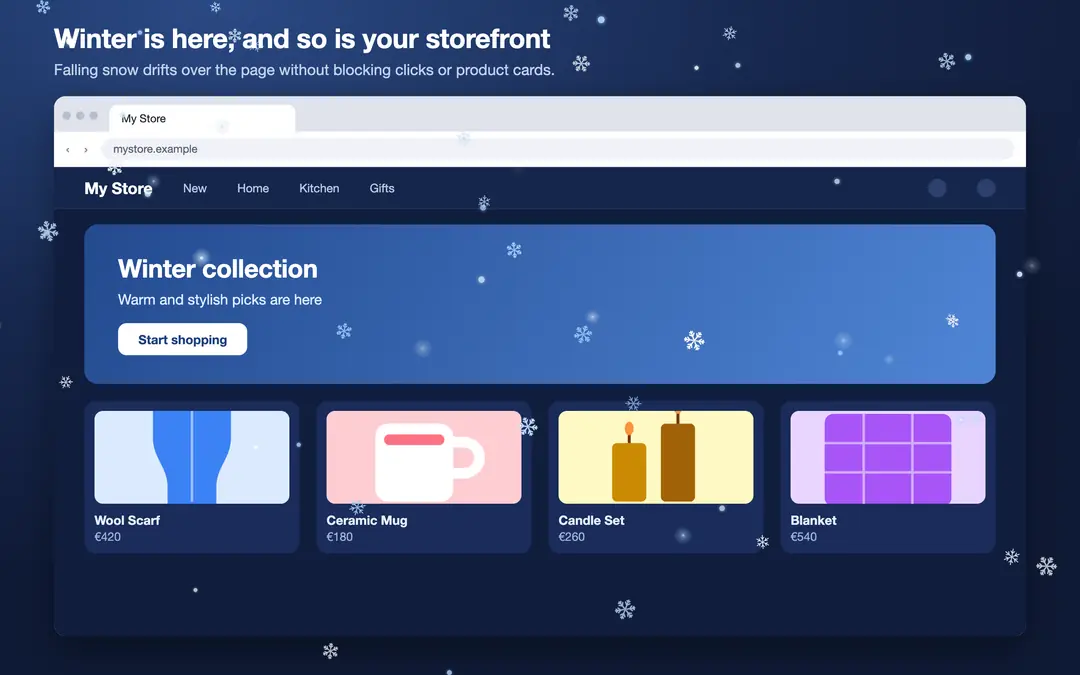
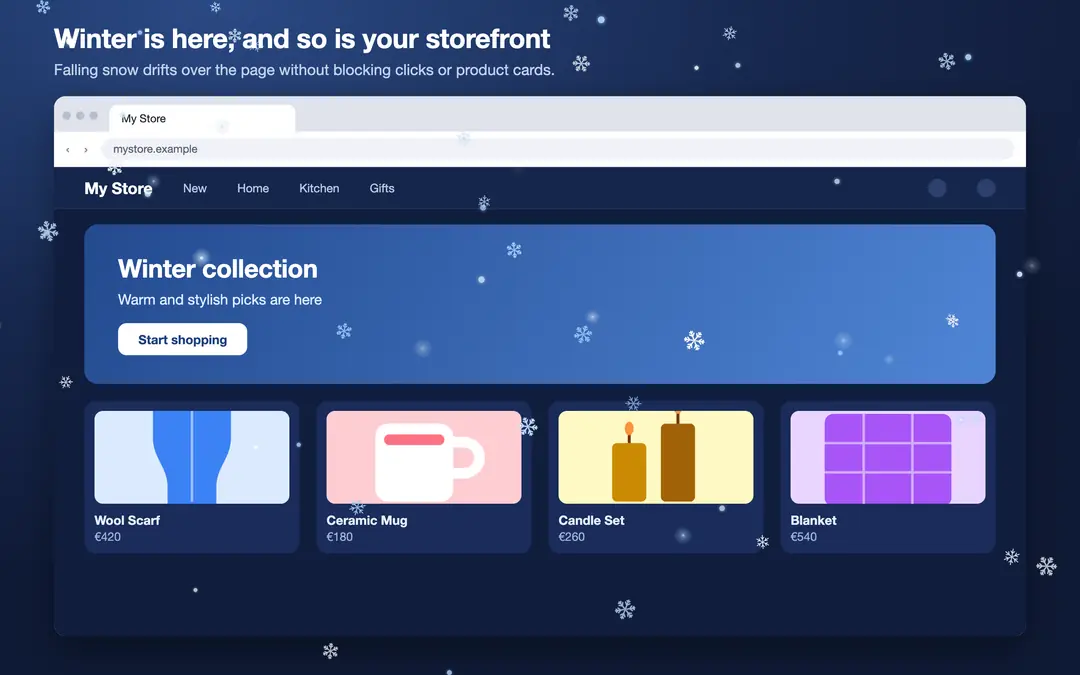
FestiveFX adds elegant animated effects to your storefront for special days, seasons and campaigns such as New Year, Valentine's Day and Black Friday: falling snow, drifting hearts, confetti, rising balloons, shimmering lights. The effect is drawn on a transparent layer above the page; it does not block clicks, menus or product cards. On phones the number of particles is reduced automatically.
Key features
- Ready-made themes: Winter, Christmas, Valentine's Day, New Year, Black Friday, Spring, Autumn and Birthday / anniversary. Pick a theme, then change colors and intensity as you like.
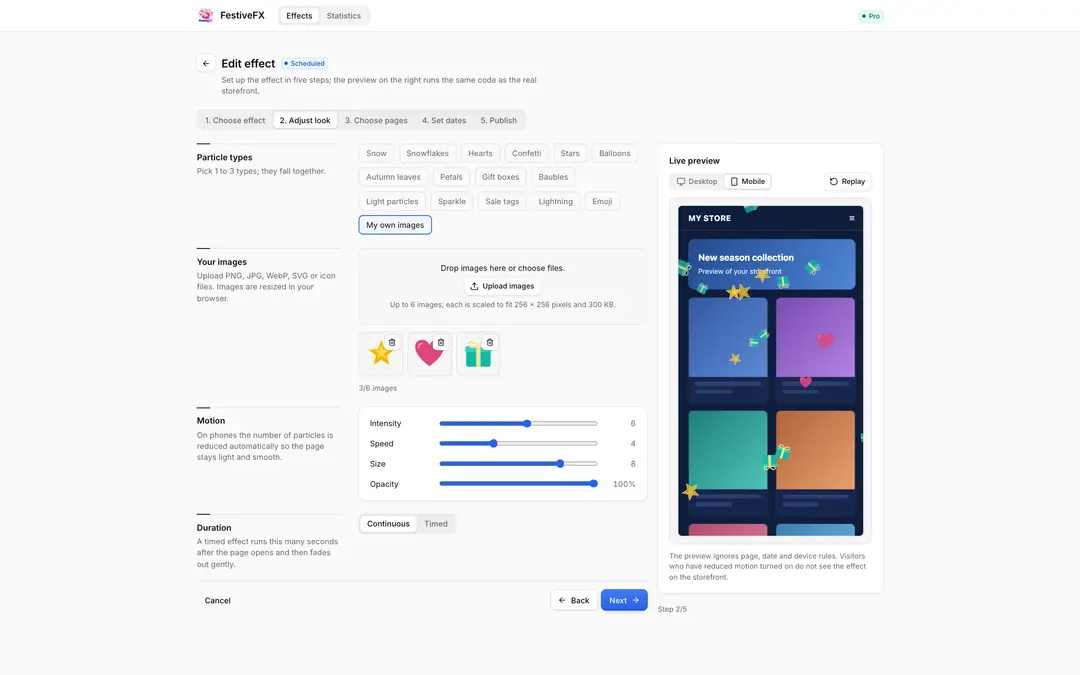
- Rich particles: Snow, snowflakes, hearts, confetti, stars, balloons, autumn leaves, petals, gift boxes, baubles, light particles, sparkle, sale tags and lightning. Combine up to three.
- Special day: Name the day yourself and upload your own PNG, SVG, JPG or icon files; they fall as particles. You can choose your own emoji too.
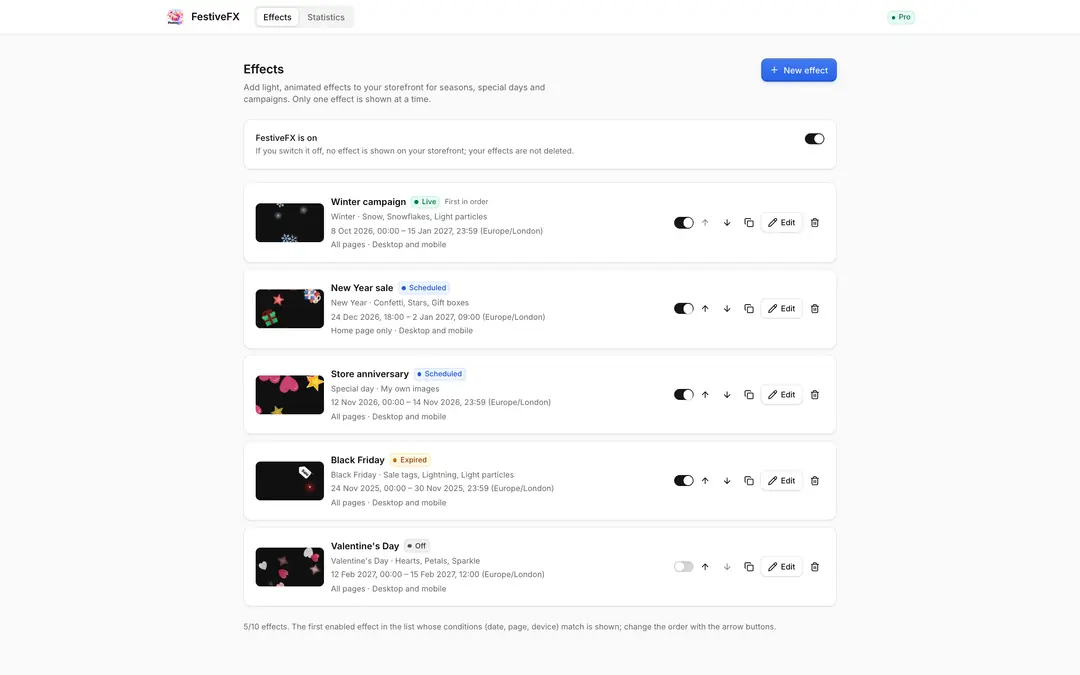
- Scheduling: Set a start and end date with a time zone; the effect starts by itself when its time comes and stops when it ends. Timed effects fade out gently.
- Page selection: Show it on all pages, on the home page only, or on the page types, categories (including their subcategories), products and addresses you choose. Nothing is shown on the checkout page.
- Device settings: Turn it on or off for desktop and mobile separately; reduce particles on mobile.
- Several campaigns: Define up to 10 effects and put them in order. The first effect whose conditions match is shown.
- Five-step setup: Choose the effect, adjust the look, choose the pages, set the dates, publish.
- Live preview: See the effect on a page that looks like your store, in desktop and mobile view, before saving.
- Statistics: See how many times each effect was shown over the last 30 days.
- Turkish, English and German panel; sale tags are written in the language of the page.
Privacy and visitor experience
FestiveFX collects no personal data about visitors and sets no cookies. Visitors who have "reduce motion" turned on in their system do not see the effect. Drawing pauses while the tab is in the background.
Pricing
The first 7 days are free, with every feature on. After that, Pro is a paid yearly subscription; the price for your region is shown on the plan. If you don't switch to Pro when the trial ends, the effects stop on your storefront; your effects and settings are kept.

FestiveFX – Season and Campaign Effects


App Information
Stores with installations
0-50 stores
Release Date
14 October, 2026

Supported Languages
About FestiveFX – Season and Campaign Effects
FestiveFX adds elegant animated effects to your storefront for special days, seasons and campaigns such as New Year, Valentine's Day and Black Friday: falling snow, drifting hearts, confetti, rising balloons, shimmering lights. The effect is drawn on a transparent layer above the page; it does not block clicks, menus or product cards. On phones the number of particles is reduced automatically.
Key features
- Ready-made themes: Winter, Christmas, Valentine's Day, New Year, Black Friday, Spring, Autumn and Birthday / anniversary. Pick a theme, then change colors and intensity as you like.
- Rich particles: Snow, snowflakes, hearts, confetti, stars, balloons, autumn leaves, petals, gift boxes, baubles, light particles, sparkle, sale tags and lightning. Combine up to three.
- Special day: Name the day yourself and upload your own PNG, SVG, JPG or icon files; they fall as particles. You can choose your own emoji too.
- Scheduling: Set a start and end date with a time zone; the effect starts by itself when its time comes and stops when it ends. Timed effects fade out gently.
- Page selection: Show it on all pages, on the home page only, or on the page types, categories (including their subcategories), products and addresses you choose. Nothing is shown on the checkout page.
- Device settings: Turn it on or off for desktop and mobile separately; reduce particles on mobile.
- Several campaigns: Define up to 10 effects and put them in order. The first effect whose conditions match is shown.
- Five-step setup: Choose the effect, adjust the look, choose the pages, set the dates, publish.
- Live preview: See the effect on a page that looks like your store, in desktop and mobile view, before saving.
- Statistics: See how many times each effect was shown over the last 30 days.
- Turkish, English and German panel; sale tags are written in the language of the page.
Privacy and visitor experience
FestiveFX collects no personal data about visitors and sets no cookies. Visitors who have "reduce motion" turned on in their system do not see the effect. Drawing pauses while the tab is in the background.
Pricing
The first 7 days are free, with every feature on. After that, Pro is a paid yearly subscription; the price for your region is shown on the plan. If you don't switch to Pro when the trial ends, the effects stop on your storefront; your effects and settings are kept.
FestiveFX – Season and Campaign Effects
App Information
Stores with installations
0-50 stores
Release Date
14 October, 2026
Supported Languages