All Apps
About Randevu Al – Appointment Booking
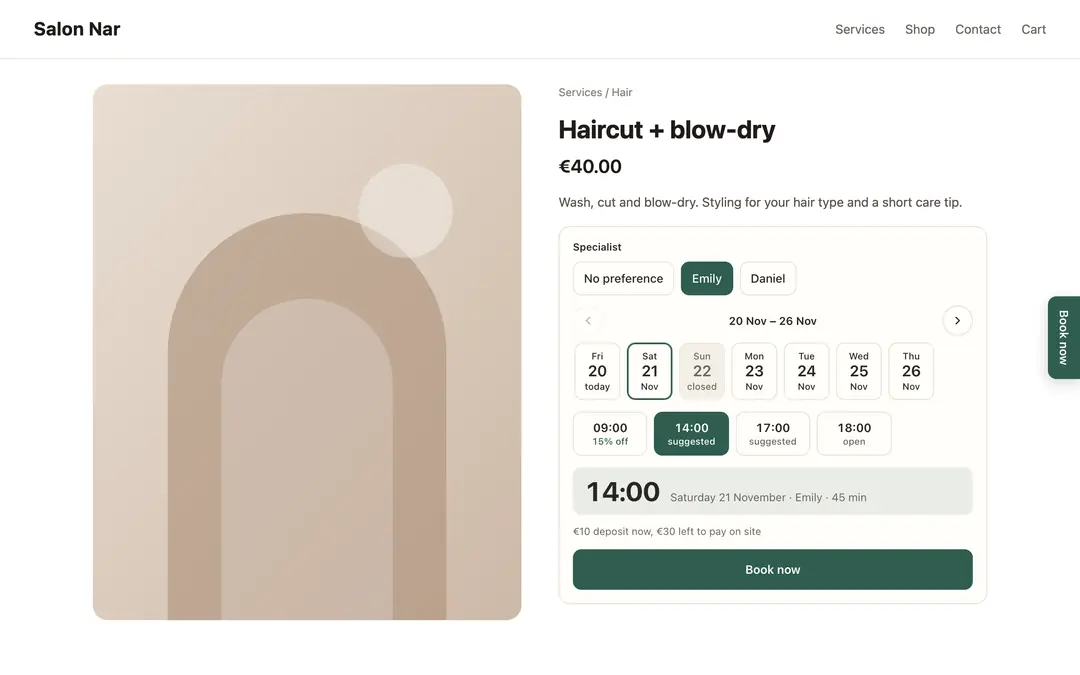
Randevu Al adds appointment booking to your ikas storefront, for stores that sell services: hair and beauty salons, clinics, studios, consultants or repair services. Each service is an ikas product, and a booking card replaces the "Add to cart" button on its product page. Customers choose a staff member, day and time, enter their details and continue to the ikas checkout. The booking is confirmed once the order is paid.
Payment options
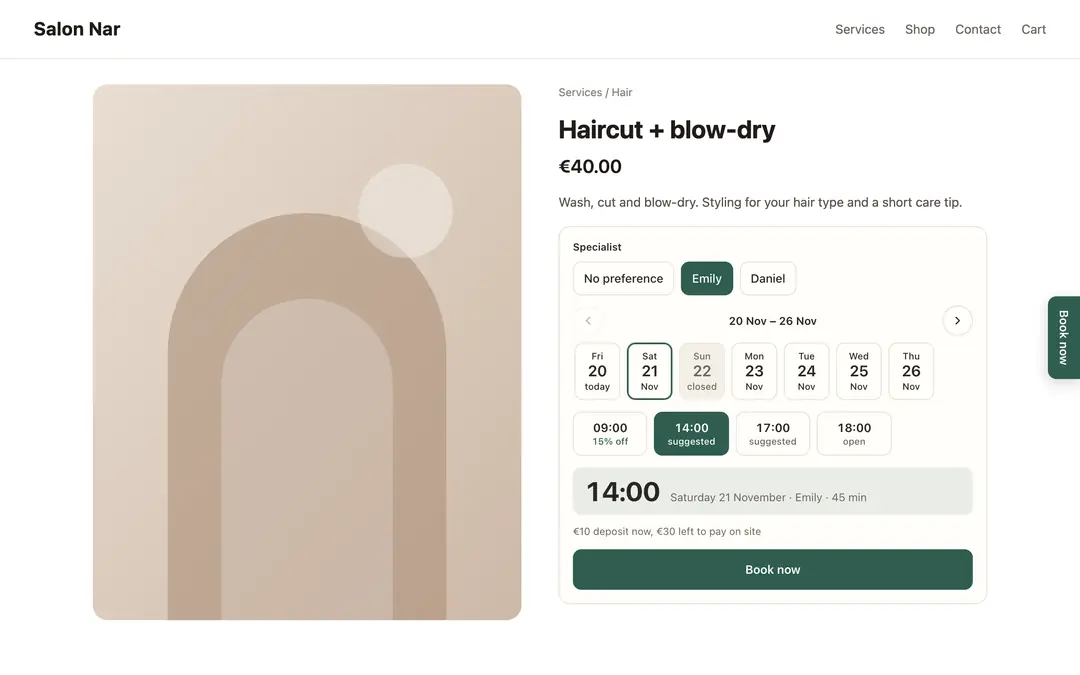
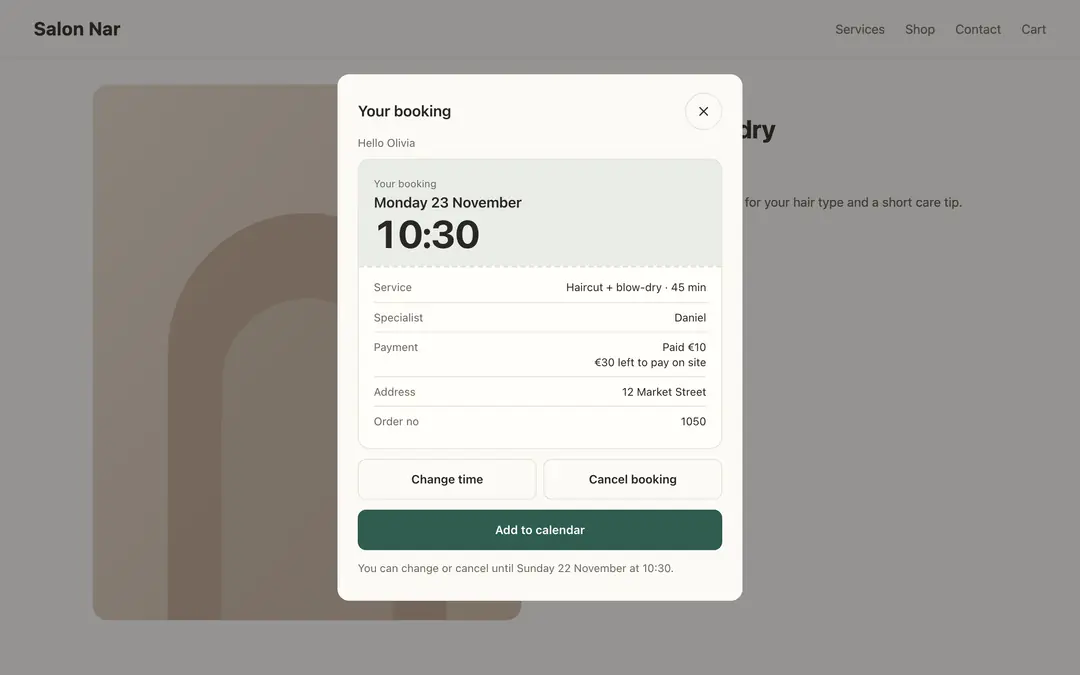
- Deposit: Customers pay a deposit now and the rest at your business. The card shows, for example, "€10 deposit now, €30 left to pay on site".
- Full price: The whole price is paid when booking.
- Free or pay at the business: No checkout opens and the booking is confirmed straight away.
While payment is pending, the time is not given to anyone else. If the customer does not finish paying, the time opens again when the hold expires.
Booking section on your home page
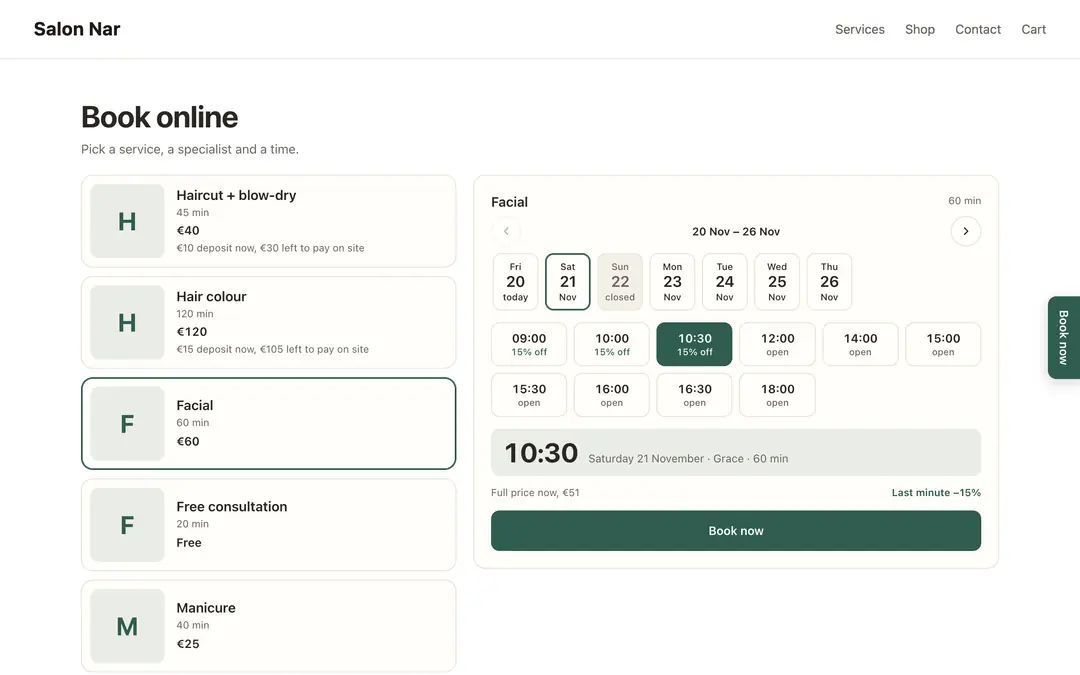
You can show all your services as cards on the home page or on pages you choose, with the day and time picker next to them. A fixed "Book now" button on the edge of the page is also available.
Times are built for you
- Each staff member has their own weekly hours, breaks and days off.
- Service length and preparation time are taken into account. Times that would leave an unusable gap are hidden, and times next to existing bookings are marked as suggested.
- Set a capacity for group classes; the number of places left shows on each time.
- Offer in person and online sessions and include your meeting link in the email.
- Add an extra product to the booking (such as a care shampoo) and one extra question (such as a licence plate).
Google, Outlook and Apple calendars
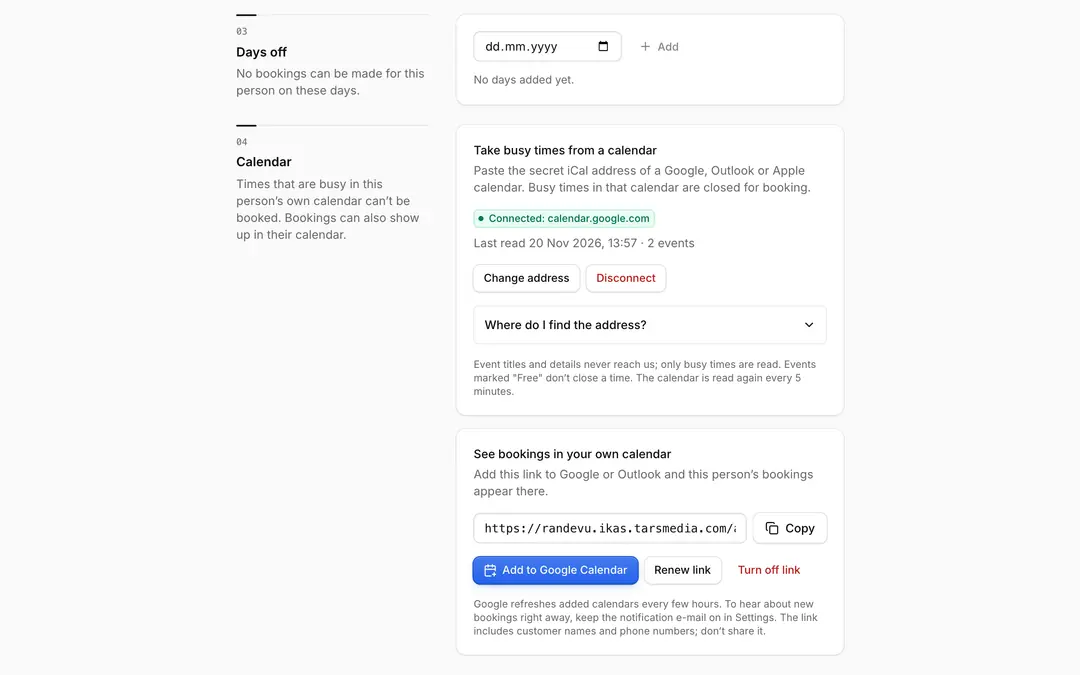
Paste the private iCal address of a staff member's own calendar into the panel, and the times that are busy there can no longer be booked. The calendar is read again every 5 minutes; event titles and details are not taken. It also works the other way: add the link given for each staff member to Google or Outlook, and bookings show up there too.
For times that would stay empty
- Waitlist: Customers can join the list for a full time. If a booking is cancelled, the next person gets an offer by email.
- Last-minute discount: Open times in the near future show the percentage discount you set. The discount is applied at checkout with a coupon made for that booking.
- Rebooking email: For services that repeat (such as a haircut every 5 weeks), customers get a reminder to book again when the time comes.
Emails to customers
The confirmation email comes with a calendar file. Before the appointment, a check-in email asks "I'm coming / I can't make it". Customers open their booking from the link in any email and change the time or cancel up to the deadline you set. Emails go out in Turkish, English or German, following the customer's language, and you get a notice for new bookings and cancellations.
In the panel
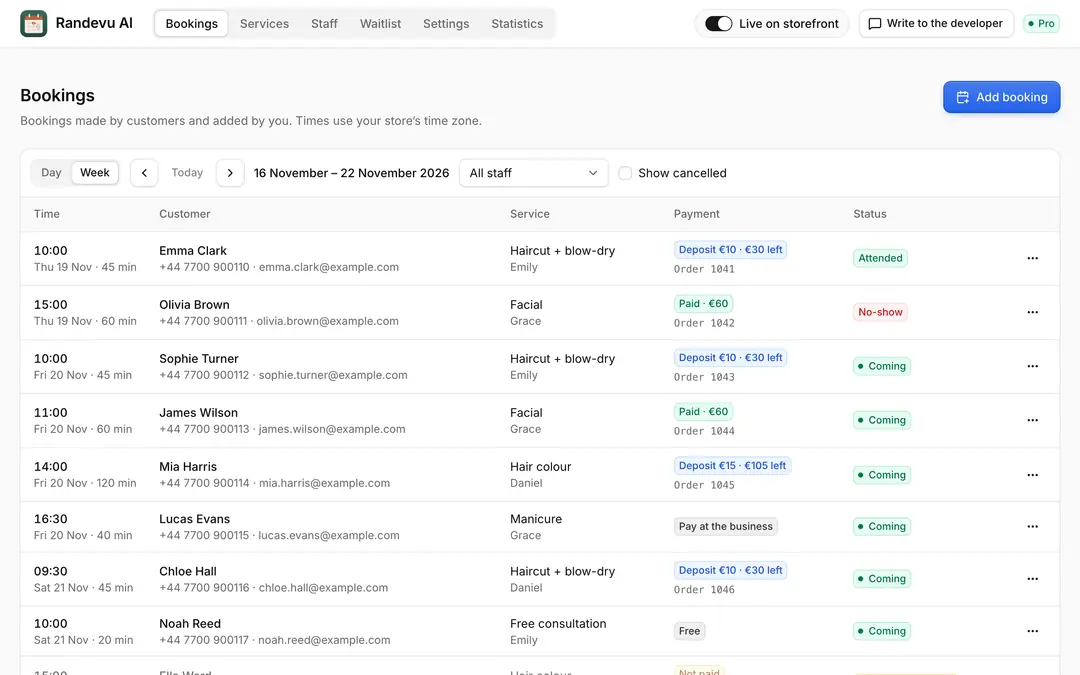
- Bookings: Day or week view, filter by staff member, payment status and order number. Mark attended and no-show, and add bookings that come in by phone.
- Services and staff: Link a service to an ikas product and set its length, payment type, staff and capacity.
- Waitlist and statistics: For the last 30 days: booking card views, bookings, cancellations, and bookings that came from the waitlist or rebooking emails.
The order gets a "Randevu" tag and a booking note; if the order is cancelled or refunded, the booking is cancelled too.
Privacy
Customer names, email addresses and phone numbers are stored encrypted and are shown only in your panel.
Pricing
The first 7 days are free with every feature included. After that, the Pro plan is billed yearly. If you do not upgrade when the trial ends, the booking card stops showing on your storefront; your services, staff and bookings are kept.

Randevu Al – Appointment Booking
Installs
Release date
Languages
Category
About Randevu Al – Appointment Booking
Randevu Al adds appointment booking to your ikas storefront, for stores that sell services: hair and beauty salons, clinics, studios, consultants or repair services. Each service is an ikas product, and a booking card replaces the "Add to cart" button on its product page. Customers choose a staff member, day and time, enter their details and continue to the ikas checkout. The booking is confirmed once the order is paid.
Payment options
- Deposit: Customers pay a deposit now and the rest at your business. The card shows, for example, "€10 deposit now, €30 left to pay on site".
- Full price: The whole price is paid when booking.
- Free or pay at the business: No checkout opens and the booking is confirmed straight away.
While payment is pending, the time is not given to anyone else. If the customer does not finish paying, the time opens again when the hold expires.
Booking section on your home page
You can show all your services as cards on the home page or on pages you choose, with the day and time picker next to them. A fixed "Book now" button on the edge of the page is also available.
Times are built for you
- Each staff member has their own weekly hours, breaks and days off.
- Service length and preparation time are taken into account. Times that would leave an unusable gap are hidden, and times next to existing bookings are marked as suggested.
- Set a capacity for group classes; the number of places left shows on each time.
- Offer in person and online sessions and include your meeting link in the email.
- Add an extra product to the booking (such as a care shampoo) and one extra question (such as a licence plate).
Google, Outlook and Apple calendars
Paste the private iCal address of a staff member's own calendar into the panel, and the times that are busy there can no longer be booked. The calendar is read again every 5 minutes; event titles and details are not taken. It also works the other way: add the link given for each staff member to Google or Outlook, and bookings show up there too.
For times that would stay empty
- Waitlist: Customers can join the list for a full time. If a booking is cancelled, the next person gets an offer by email.
- Last-minute discount: Open times in the near future show the percentage discount you set. The discount is applied at checkout with a coupon made for that booking.
- Rebooking email: For services that repeat (such as a haircut every 5 weeks), customers get a reminder to book again when the time comes.
Emails to customers
The confirmation email comes with a calendar file. Before the appointment, a check-in email asks "I'm coming / I can't make it". Customers open their booking from the link in any email and change the time or cancel up to the deadline you set. Emails go out in Turkish, English or German, following the customer's language, and you get a notice for new bookings and cancellations.
In the panel
- Bookings: Day or week view, filter by staff member, payment status and order number. Mark attended and no-show, and add bookings that come in by phone.
- Services and staff: Link a service to an ikas product and set its length, payment type, staff and capacity.
- Waitlist and statistics: For the last 30 days: booking card views, bookings, cancellations, and bookings that came from the waitlist or rebooking emails.
The order gets a "Randevu" tag and a booking note; if the order is cancelled or refunded, the booking is cancelled too.
Privacy
Customer names, email addresses and phone numbers are stored encrypted and are shown only in your panel.
Pricing
The first 7 days are free with every feature included. After that, the Pro plan is billed yearly. If you do not upgrade when the trial ends, the booking card stops showing on your storefront; your services, staff and bookings are kept.
Randevu Al – Appointment Booking
Installs
Release date
Languages
Category