About Photo Studio
Photo Studio turns the product photo you already have into a professional shoot with AI. No studio, model or photographer needed. Pick your product, choose how you want it to look, and your new image is ready in seconds.
The product itself stays the same. Photo Studio is built to keep your product's color, pattern, texture and logo intact in every shot. You see the result next to the original photo and add the ones you like to your product.
With Photo Studio you can:
- Pick one of your ikas products or upload your own photo
- Show the product on a model, on a ghost mannequin, as a flat lay, on a hanger or on its own
- Choose the model's gender, age, look, size, pose and framing
- Pick a scene that fits your category: studio, street, café, beach, nature, marble counter and more
- Set the lighting and season, or describe the scene in your own words
- Get your image in 1:1, 4:5, 3:4, 9:16 or 16:9, in standard or high resolution
- Generate several variations with the same settings and keep your favorite
- Add the image to your product in one click, set it as the main image, or download it
Works for fashion, shoes and bags, jewelry and accessories, beauty, electronics, home and living, food, and sports.
Credits
Photo Studio runs on credits. A standard image costs 3 credits and a high-resolution image 5. You get free trial credits when you install the app, then buy credit packs as you need them. Credits never expire, and credits for images that fail are refunded automatically.
Use it with confidence
- No image is added to your product without your approval.
- Before and after images are shown side by side so you can compare with the original before adding.
- Kids' products never use human models; you get mannequin, flat lay and hanger options instead.
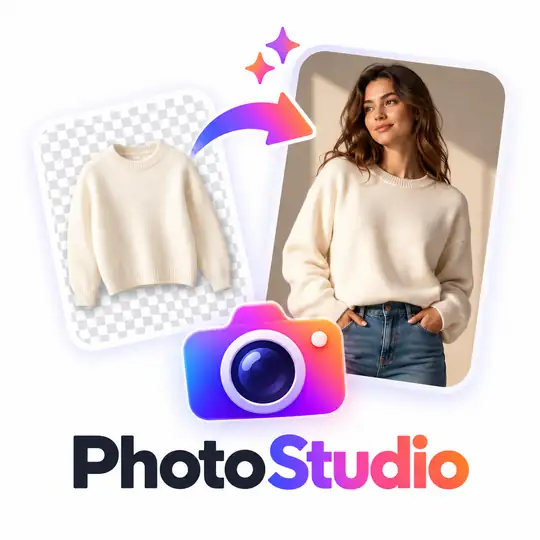
Photo Studio


App Information
Stores with installations
0-50 stores
Release Date
01 October, 2026

Supported Languages
About Photo Studio
Photo Studio turns the product photo you already have into a professional shoot with AI. No studio, model or photographer needed. Pick your product, choose how you want it to look, and your new image is ready in seconds.
The product itself stays the same. Photo Studio is built to keep your product's color, pattern, texture and logo intact in every shot. You see the result next to the original photo and add the ones you like to your product.
With Photo Studio you can:
- Pick one of your ikas products or upload your own photo
- Show the product on a model, on a ghost mannequin, as a flat lay, on a hanger or on its own
- Choose the model's gender, age, look, size, pose and framing
- Pick a scene that fits your category: studio, street, café, beach, nature, marble counter and more
- Set the lighting and season, or describe the scene in your own words
- Get your image in 1:1, 4:5, 3:4, 9:16 or 16:9, in standard or high resolution
- Generate several variations with the same settings and keep your favorite
- Add the image to your product in one click, set it as the main image, or download it
Works for fashion, shoes and bags, jewelry and accessories, beauty, electronics, home and living, food, and sports.
Credits
Photo Studio runs on credits. A standard image costs 3 credits and a high-resolution image 5. You get free trial credits when you install the app, then buy credit packs as you need them. Credits never expire, and credits for images that fail are refunded automatically.
Use it with confidence
- No image is added to your product without your approval.
- Before and after images are shown side by side so you can compare with the original before adding.
- Kids' products never use human models; you get mannequin, flat lay and hanger options instead.
Photo Studio
App Information
Stores with installations
0-50 stores
Release Date
01 October, 2026
Supported Languages