About PDFKit – Product Files & Downloads
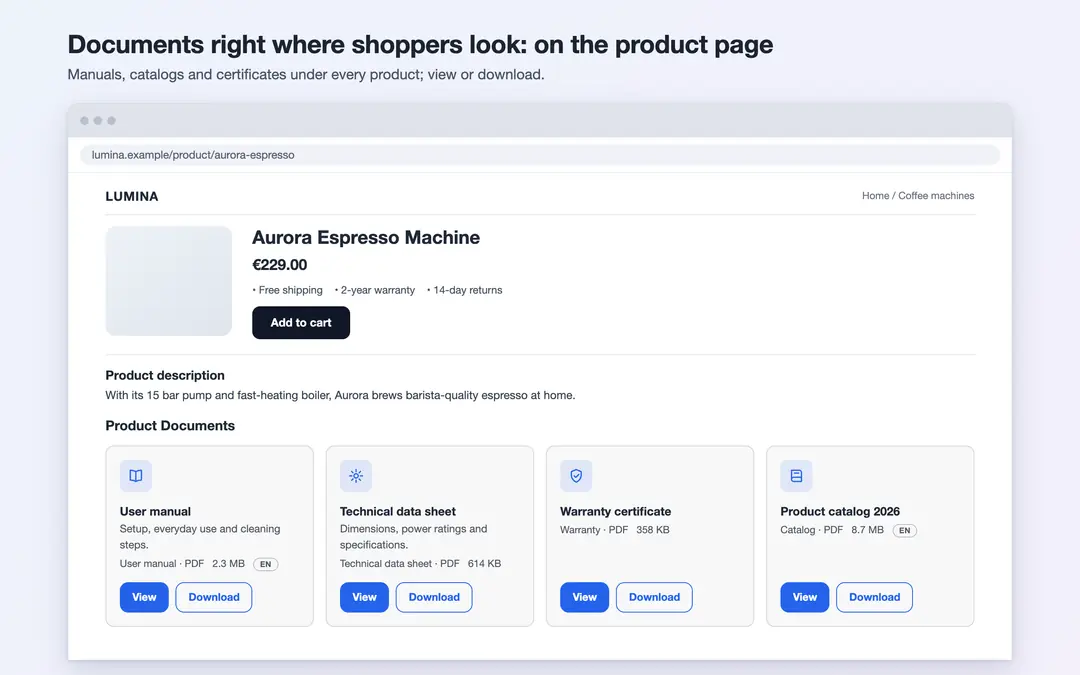
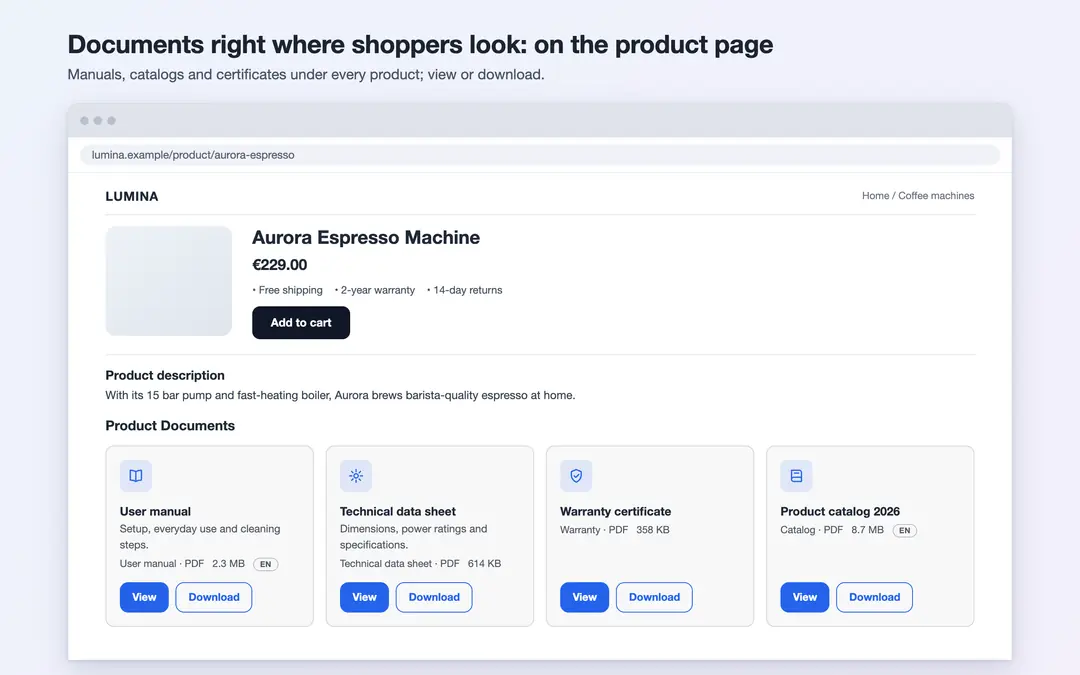
PDFKit shows files such as user manuals, technical data sheets, catalogs, certificates and warranty documents as a tidy section on your product pages. You upload each file once and choose where it appears: on specific products, in categories, or across your whole store. Visitors view the file in their browser or download it.
Key features
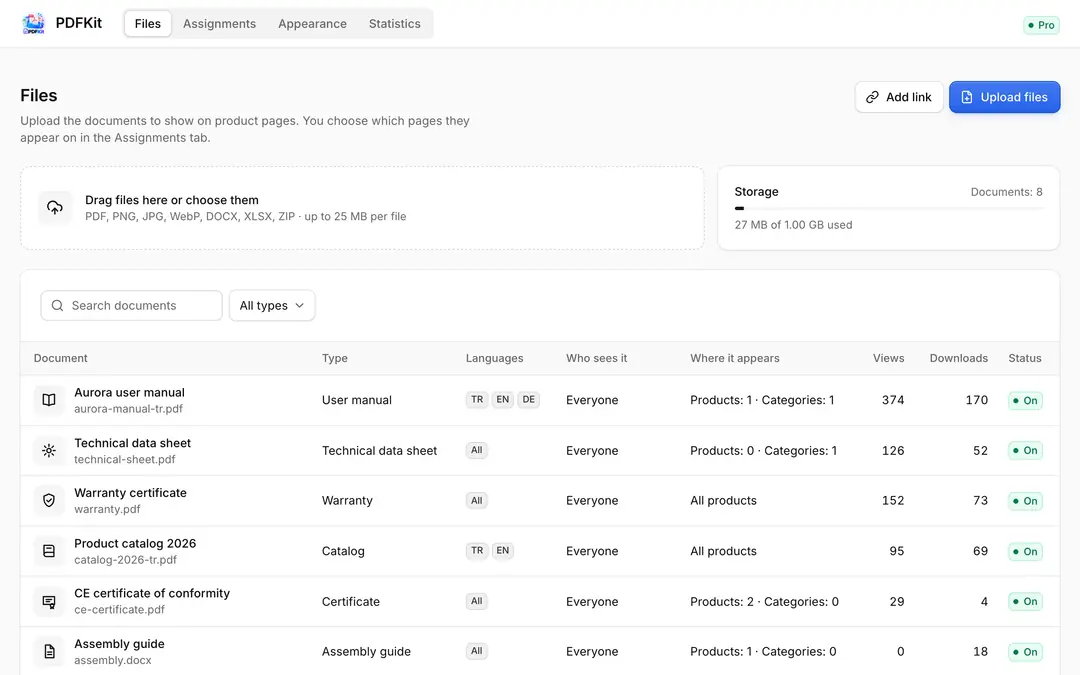
- Easy uploads: Upload PDF, PNG, JPG, WebP, DOCX, XLSX and ZIP files by selecting several at once or by drag and drop (up to 25 MB per file, 1 GB per store). You can add external links too.
- Language versions for every document: Upload a separate file for Turkish, English and German. Visitors get the file in the page language; if there is none, the file you uploaded for all languages, then the file in your default language.
- Flexible assignment: Assign a document to all products, to selected categories (subcategories included automatically) or to individual products. Add several documents to the same targets in bulk.
- Ordering: Drag to reorder the documents shown on a product page, or use the arrow buttons.
- Document types and icons: User manual, technical data sheet, catalog, certificate, warranty, assembly guide, size chart, safety data sheet and more; a ready-made icon for each document.
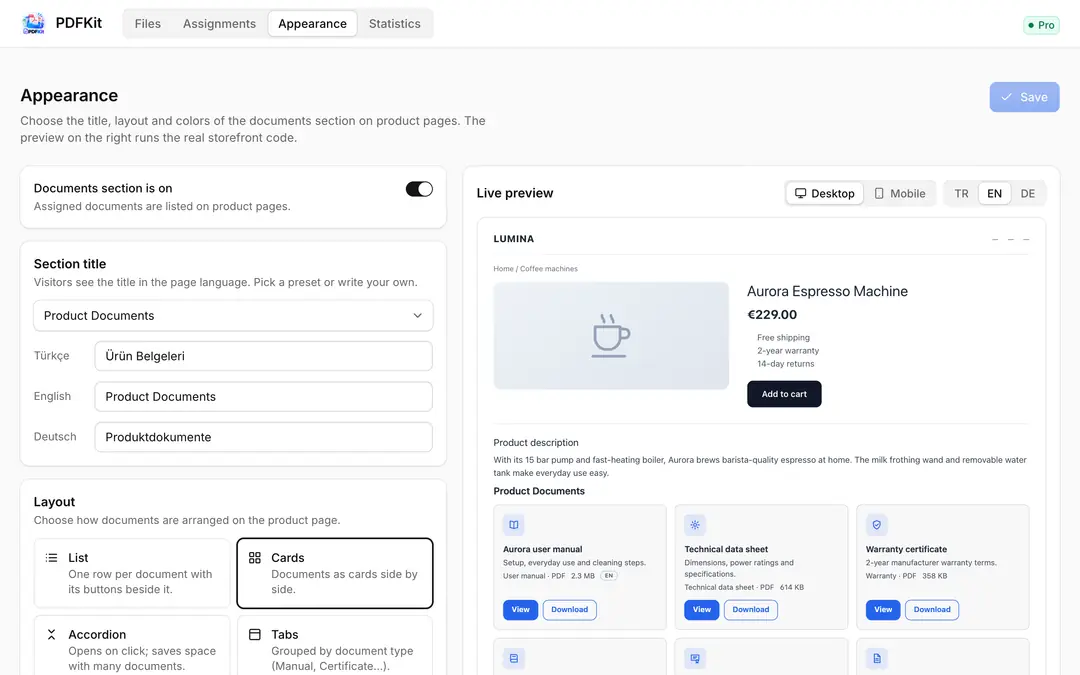
- Five layouts: List, cards, accordion, tabs grouped by type and minimal links. You choose the title, accent color, corner radius and which details appear on each row (size, type, language).
- Live preview: See your settings on desktop and mobile with the real storefront code, before you save.
- Statistics: See how often documents were viewed and downloaded in the last 30 days, the most downloaded ones and counts per file.
Good to know
You can show documents only to logged-in customers or only to certain customer groups. This setting only controls whether a document is displayed on the storefront; it is not a security feature. Anyone who knows a file link can open the file. Do not upload files that must stay private.
Privacy
PDFKit collects no personal data about visitors. Statistics are only counts of how often file addresses were opened.
Pricing
The first 7 days are free, with every feature on. After that, Pro is a paid yearly subscription; the price for your region is shown on the plan. If you don't switch to Pro when the trial ends, documents are hidden on your storefront and file links stop working; your documents and settings are kept. If you uninstall the app, your files are kept for 30 days and then deleted.
PDFKit – Product Files & Downloads


App Information
Stores with installations
0-50 stores
Release Date
15 October, 2026

Supported Languages
About PDFKit – Product Files & Downloads
PDFKit shows files such as user manuals, technical data sheets, catalogs, certificates and warranty documents as a tidy section on your product pages. You upload each file once and choose where it appears: on specific products, in categories, or across your whole store. Visitors view the file in their browser or download it.
Key features
- Easy uploads: Upload PDF, PNG, JPG, WebP, DOCX, XLSX and ZIP files by selecting several at once or by drag and drop (up to 25 MB per file, 1 GB per store). You can add external links too.
- Language versions for every document: Upload a separate file for Turkish, English and German. Visitors get the file in the page language; if there is none, the file you uploaded for all languages, then the file in your default language.
- Flexible assignment: Assign a document to all products, to selected categories (subcategories included automatically) or to individual products. Add several documents to the same targets in bulk.
- Ordering: Drag to reorder the documents shown on a product page, or use the arrow buttons.
- Document types and icons: User manual, technical data sheet, catalog, certificate, warranty, assembly guide, size chart, safety data sheet and more; a ready-made icon for each document.
- Five layouts: List, cards, accordion, tabs grouped by type and minimal links. You choose the title, accent color, corner radius and which details appear on each row (size, type, language).
- Live preview: See your settings on desktop and mobile with the real storefront code, before you save.
- Statistics: See how often documents were viewed and downloaded in the last 30 days, the most downloaded ones and counts per file.
Good to know
You can show documents only to logged-in customers or only to certain customer groups. This setting only controls whether a document is displayed on the storefront; it is not a security feature. Anyone who knows a file link can open the file. Do not upload files that must stay private.
Privacy
PDFKit collects no personal data about visitors. Statistics are only counts of how often file addresses were opened.
Pricing
The first 7 days are free, with every feature on. After that, Pro is a paid yearly subscription; the price for your region is shown on the plan. If you don't switch to Pro when the trial ends, documents are hidden on your storefront and file links stop working; your documents and settings are kept. If you uninstall the app, your files are kept for 30 days and then deleted.
PDFKit – Product Files & Downloads
App Information
Stores with installations
0-50 stores
Release Date
15 October, 2026
Supported Languages