About Ön Sipariş (Pre-order)
Ön Sipariş is a simple way to keep selling products that have run out of stock. Save a pre-order rule and an estimated shipping date for a product, variant or category. On product pages with a rule, a pre-order button ("Ön Sipariş Ver" by default) appears in place of the "Add to cart" button together with the estimated shipping date, and the cart shows a "Pre-order" badge with the shipping date next to the item. Products without a rule and products in stock are not affected.
Pre-orders are tagged "on-siparis" automatically, so you can find them easily in your ikas admin.
Features:
- Add pre-order rules per product, variant or category, with an estimated shipping date.
- Set an optional total quantity cap. Reaching the cap turns zero-stock selling off; a cancellation lowers the counter.
- Set a start and an end date. Before the start the button shows "coming soon" and is disabled; selling stops at the end.
- Turn on a countdown on the product page that shows the time left until the start or the end.
- Choose to allow, warn or block when a pre-order item and an in-stock item go into the same cart. The warning appears in the cart and the mini cart.
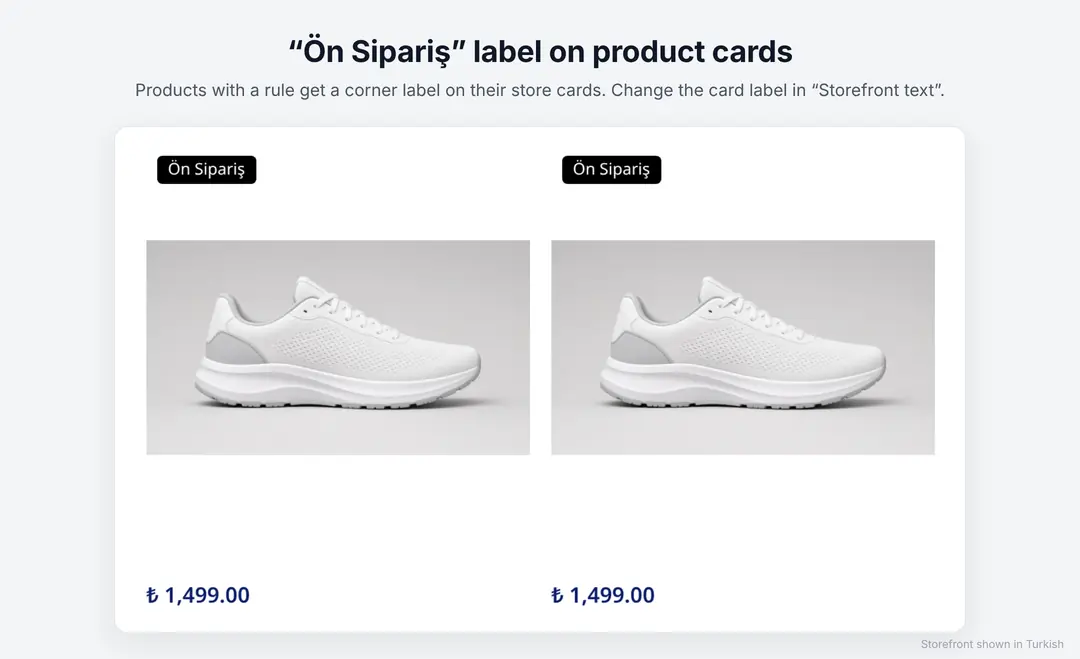
- Change the button text (default "Ön Sipariş Ver"), the card label and the note above the button in "Storefront text".
- Check the button in a live preview before saving.
- Track rules in one table with their status, and pause or remove any rule.
- Customers can look up the shipping status of their pre-order with their order number and email.
- Installs without editing theme code.
- The admin panel is available in Turkish and English and opens in light mode, with an optional dark mode.
Setup:
1. Install Ön Sipariş from the ikas App Store and approve the requested permissions. Try it free for 14 days.
2. Open the app and install the storefront component in the "Widget installation" step, then check it in your store.
3. Click "Add rule", search for a product, variant or category and enter the estimated shipping date.
4. Optionally add a total quantity cap and a date window, then save the rule.
5. Edit the button text in "Storefront text" and check it in the live preview.

Ön Sipariş (Pre-order)


App Information
Stores with installations
0-50 stores
Release Date
14 October, 2026

Supported Languages
About Ön Sipariş (Pre-order)
Ön Sipariş is a simple way to keep selling products that have run out of stock. Save a pre-order rule and an estimated shipping date for a product, variant or category. On product pages with a rule, a pre-order button ("Ön Sipariş Ver" by default) appears in place of the "Add to cart" button together with the estimated shipping date, and the cart shows a "Pre-order" badge with the shipping date next to the item. Products without a rule and products in stock are not affected.
Pre-orders are tagged "on-siparis" automatically, so you can find them easily in your ikas admin.
Features:
- Add pre-order rules per product, variant or category, with an estimated shipping date.
- Set an optional total quantity cap. Reaching the cap turns zero-stock selling off; a cancellation lowers the counter.
- Set a start and an end date. Before the start the button shows "coming soon" and is disabled; selling stops at the end.
- Turn on a countdown on the product page that shows the time left until the start or the end.
- Choose to allow, warn or block when a pre-order item and an in-stock item go into the same cart. The warning appears in the cart and the mini cart.
- Change the button text (default "Ön Sipariş Ver"), the card label and the note above the button in "Storefront text".
- Check the button in a live preview before saving.
- Track rules in one table with their status, and pause or remove any rule.
- Customers can look up the shipping status of their pre-order with their order number and email.
- Installs without editing theme code.
- The admin panel is available in Turkish and English and opens in light mode, with an optional dark mode.
Setup:
1. Install Ön Sipariş from the ikas App Store and approve the requested permissions. Try it free for 14 days.
2. Open the app and install the storefront component in the "Widget installation" step, then check it in your store.
3. Click "Add rule", search for a product, variant or category and enter the estimated shipping date.
4. Optionally add a total quantity cap and a date window, then save the rule.
5. Edit the button text in "Storefront text" and check it in the live preview.
Ön Sipariş (Pre-order)
App Information
Stores with installations
0-50 stores
Release Date
14 October, 2026
Supported Languages